


How to Keep Your Schematic and PCB Layout in Sync
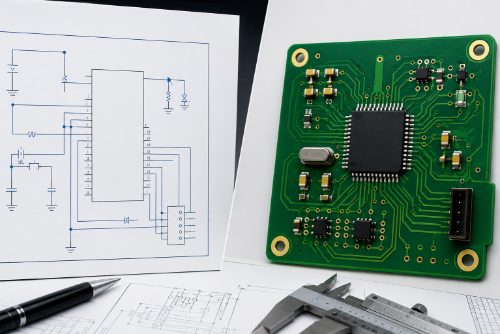
PCB designs rarely remain unchanged throughout development. Components are substituted, net connections are modified, footprints are updated, and engineering change orders accumulate. Without a disciplined process for keeping schematics and PCB layouts synchronized, these changes can introduce manufacturing errors, assembly issues, and costly board respins.
This guide explains how to keep your schematic and PCB layout in sync as designs change, including change management best practices, forward and back annotation workflows, verification methods, and automated consistency checking tools. Whether you're designing a simple four-layer board or a complex HDI system, maintaining alignment between schematic intent and PCB implementation is essential for product reliability and manufacturability.
Key Takeaways
- The schematic should remain the authoritative source of electrical intent.
- Use forward annotation for connectivity changes and back annotation for PCB-driven updates.
- Perform ERC, DRC, netlist comparisons, and BOM reviews throughout development.
- Manage symbols, footprints, and part data through controlled libraries.
- Automated schematic-to-PCB consistency checking reduces manual errors and respins.
Understanding the Gap Between Design Intent and Physical Implementation
A schematic represents the electrical intent of a design. It defines component values, connectivity, power distribution, and how a circuit is intended to function. The PCB layout transforms that intent into a manufacturable product by assigning footprints, placing components, routing signals, creating power planes, and satisfying mechanical constraints.
The challenge is that designs rarely remain static. A power supply may require additional capacitance after simulation. A connector may change because of supply chain availability. Test points may be added to improve manufacturing diagnostics. A processor may require additional decoupling capacitors to meet signal integrity requirements.
Each change creates an opportunity for the schematic and PCB layout to become misaligned. The risk increases on designs involving high pin-count BGAs, HDI technology, rigid-flex constructions, high-speed interfaces, multiple engineers, or frequent engineering change orders (ECOs). Without a disciplined synchronization process, even small modifications can create significant downstream problems.
Common Causes of Schematic-to-Layout Mismatches
Most synchronization errors do not result from poor engineering decisions. They occur because approved changes are implemented in one part of the design but not another. One of the most common issues involves component changes that never propagate through the entire design database. An engineer may update a capacitor value, footprint, or package in the schematic while the PCB layout continues to reference an older version.
Missing or extra components can create similar problems. During development, parts are frequently added, removed, or substituted. If updates are not synchronized correctly, the bill of materials, schematic, and PCB layout may no longer match.
Net connectivity issues are another common source of errors. A modified signal connection that is updated in the schematic but not transferred to the PCB can result in opens, shorts, or unexpected circuit behavior that may not be discovered until testing begins.
Footprint mismatches can also occur when supply chain substitutions require alternate package styles. Even when the electrical design is correct, incorrect footprints can create assembly problems that delay production.
As designs mature and ECO activity increases, managing these changes becomes progressively more difficult without a structured workflow.
Why These Errors Are So Expensive
A schematic-to-layout mismatch rarely remains isolated. Because PCB fabrication, assembly, and testing occur much later in the development cycle, synchronization errors often go unnoticed until significant resources have already been invested.
The result can include prototype delays, PCB respins, assembly rework, functional test failures, extended development schedules, additional engineering costs, and delayed product launches. An error that takes only a few minutes to correct during schematic capture can add weeks to a project schedule if discovered after fabrication.
The objective is not simply finding errors during review. The objective is preventing them from occurring in the first place.
What Manufacturers See Most Often
At AdvancedPCB, some of the most common design-release issues involve mismatches between fabrication files, assembly documentation, and schematic revisions. Typical examples include outdated footprints, incorrect reference designators, and BOM revisions that no longer match the released layout.These issues can delay quoting, increase NPI review time, and in some cases require engineering clarification before production can begin. Maintaining synchronization throughout development reduces these risks and helps accelerate the transition from design to manufacturing.
Build a Controlled Change Management Process
Keeping schematics and PCB layouts aligned starts with disciplined change management. Successful teams manage schematics, layouts, libraries, and BOMs as a single design package rather than independent files.Every engineering change should document not only what changed, but why it changed and what downstream effects it may have on manufacturing, testing, procurement, and mechanical integration. Version control systems help teams track revisions, while clearly defined ownership prevents conflicting edits across multiple contributors.
Many organizations also benefit from maintaining a formal change log tied to engineering change orders. Recording the affected components, nets, and revision history creates a traceable record that simplifies reviews and reduces the likelihood of undocumented modifications.
The goal is simple: every approved design change should be traceable, reviewable, and reflected throughout the project database.
Forward and Back Annotation: Keeping Changes Under Control
Modern PCB design systems provide annotation tools that synchronize changes between the schematic and PCB layout.Forward annotation transfers changes from the schematic into the PCB layout. This process should be used whenever components are added or removed, connectivity changes, net names are modified, or component parameters are updated.
Since the schematic represents the electrical intent of the design, it should remain the authoritative source for connectivity information.
Back annotation transfers information from the PCB layout into the schematic. This process is often used when reference designators change during placement optimization or when PCB-specific constraints need to be documented within the design database.
The most successful engineering teams keep annotation updates small and manageable. Frequent synchronization is significantly easier to review than large batches of accumulated changes.
Verify Changes Early and Often
Many synchronization issues occur because verification is treated as a final release activity rather than an ongoing design task.
After significant updates, engineers should validate the design using Electrical Rule Checks (ERC), Design Rule Checks (DRC), netlist comparisons, and BOM reviews. Performing these checks throughout development makes it easier to identify discrepancies before they affect manufacturing or testing.
Regular netlist comparisons are particularly valuable because they verify that component connectivity remains identical between the schematic and PCB databases. Combined with BOM reconciliation and design rule validation, these checks help ensure that all project documentation reflects the latest approved design.
Frequent verification reduces risk and prevents small issues from becoming expensive redesigns later in the project.
Maintain a Single Source of Truth
One of the most effective ways to prevent synchronization problems is to establish a single source of truth for component information.
Symbols, footprints, and parametric data should be managed through controlled libraries rather than individual project files. Whenever possible, approved components should link symbols, footprints, and metadata through a common part number.
This approach reduces duplication, minimizes data-entry errors, and ensures that both schematic and layout environments reference the same design information. Organizations using managed component libraries typically experience fewer synchronization issues than teams relying on manually maintained part databases.
Keep Your Designs Aligned with PCB Artist
AdvancedPCB's free PCB Artist software helps engineers maintain synchronization throughout the design process with automated schematic-to-PCB consistency checking, engineering change management tools, and automatic design updates.
Instead of manually comparing multiple files and revisions, engineers can quickly verify that component data, connectivity, and layout information remain aligned as designs evolve. PCB Artist can automatically update PCB layouts from approved schematic changes while providing clear visibility into what has changed between revisions.
These capabilities help reduce manual errors, improve revision control, and streamline the transition from schematic capture to PCB layout.
Download PCB Artist Free
PCB Artist combines schematic capture, PCB layout, autorouting, library management, and schematic-to-layout synchronization tools in a professional design environment available at no cost.
Download PCB Artist today and discover how automated consistency checking can help reduce design errors, improve revision control, and accelerate your path from concept to production.