


PCB Artist - Free PCB Design Software
Choosing the right PCB design software is one of the most important decisions in the electronics development process. The software you use affects schematic creation, PCB layout, design accuracy, manufacturability, and ultimately how quickly your product reaches production.
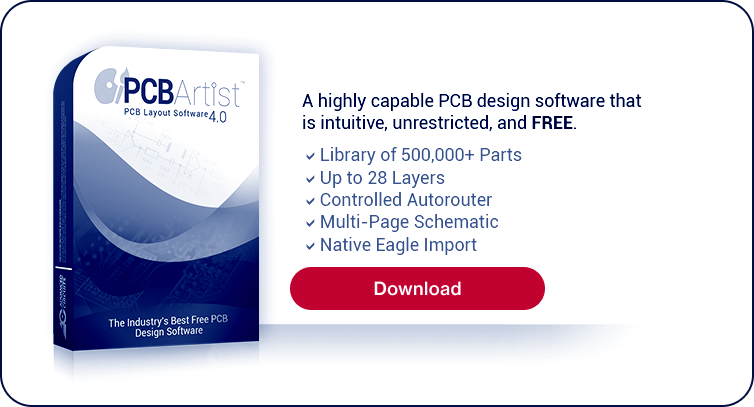
PCB Artist® is AdvancedPCB's free PCB design software for creating professional printed circuit board layouts. Whether you're designing a simple two-layer board or a complex multilayer PCB, PCB Artist provides the tools needed for schematic capture, component placement, routing, design rule checking (DRC), and manufacturing-ready Gerber file generation. Combined with AdvancedPCB's manufacturing services, PCB Artist offers a seamless workflow from initial concept through fabrication and assembly.
See why engineers choose PCB Artist. The best online PCB design software
 "I am so thrilled that my prototype boards were inexpensive, they came back working the first time, and I didn't have to fuss with figuring out how to get all the right design files together in the right format. For my next prototype, I'm going to start in PCB Artist first. This PCB design software just saves time."
DOWNLOADS.CNET.COM USER REVIEW
Online PCB Design Made Easy
Professional-grade PCB design software with free live technical support, multi-page schematics and netlist import.
PCB design software, also known as PCB CAD software or PCB layout software, is used to create the electronic schematics and physical board layouts that define how a printed circuit board will be manufactured. Most PCB design software includes two primary design environments:
- Schematic capture, where engineers create the electrical circuit using symbols that represent electronic components.
- PCB layout, where those components are arranged on the board and connected with copper traces that become the finished circuitry.
PCB design software also includes features such as component libraries, design rule checking (DRC), autorouting, 3D board visualization, differential pair routing, Gerber file generation, and bill of materials (BOM) creation.
By identifying design issues before fabrication begins, PCB design software helps engineers reduce development time, improve manufacturing yields, and produce more reliable electronic products.
AdvancedPCB’s PCB design software is easy to learn and powerful to use. It is the best free PCB layout solution for rapid prototypes and production runs. Customers love how our PCB design software streamlines schematic capture, layout, and manufacturer-ready outputs, helping you design printed circuit boards faster and at lower cost. As a complete PCB board design software and PCB design tool, it supports end-to-end workflows from idea to fabrication.
Components Library of Over 500,000 Parts
Why PCB Design Software Matters
A well-designed PCB can be manufactured more efficiently, assembled with higher yields, and perform more reliably throughout its lifecycle. Professional PCB design software helps engineers:
- Detect spacing and clearance violations before fabrication
- Optimize component placement for signal integrity and thermal performance
- Reduce routing complexity on multilayer boards
- Generate manufacturing-ready documentation
- Minimize costly design revisions
- Improve communication between design and manufacturing teams
As PCB technologies continue to evolve with finer pitches, higher speeds, HDI structures, and increasingly dense layouts, advanced design software has become an essential engineering tool.
PCB Artist Features
PCB Artist combines professional PCB layout capabilities with an intuitive interface and no software licensing costs.
Schematic Capture
Create complete electrical schematics using an extensive library of industry-standard components. Easily organize multi-sheet projects and generate synchronized PCB layouts from schematic designs.
PCB Layout
Design single-sided, double-sided, and multilayer printed circuit boards with interactive component placement, manual routing, and intelligent editing tools.
Comprehensive Component Libraries
Access thousands of prebuilt components and footprints or create custom libraries for specialized applications.
Design Rule Checking (DRC)
Automatically identify clearance violations, routing conflicts, overlapping components, and other design issues before manufacturing.
Interactive Routing
Route traces manually with precision or use automated routing tools to accelerate board development while maintaining design constraints.
Gerber File Generation
Generate industry-standard Gerber, drill, and manufacturing files compatible with PCB fabricators worldwide.
Manufacturing-Ready Output
Export complete fabrication packages including Gerber files, drill files, solder mask data, silkscreen layers,
PCB Artist® vs Other CAD Software
Compare PCB Artist® to the competition for printed circuit board design software
Different PCB design software platforms serve different types of engineers and applications. The best choice depends on project complexity, budget, collaboration needs, and manufacturing requirements.
PCB Artist® | A | B | C | D | E | |
|---|---|---|---|---|---|---|
Unlimited Software Version | FREE | Free | Free | Free | $1,200 | $7,000 |
Gerber Format Files FREE 1 | ✔ | No | No | No | ||
Integrated Schematics/PCB 2 | ✔ | No | No | No | No | No |
Symbol/Footprint/Part Creation wizard | ✔ | No | No | No | No | No |
Components/BOM/Positions CSV Export | ✔ | No | No | No | No | No |
Design Rule Check & Report | ✔ | No | No | No | No | No |
Component Autoplace | ✔ | No | No | No | No | Yes |
Context Sensitive Help Files (F1 key) | ✔ | No | No | No | Yes | Yes |
Individual Colored Nets Options | ✔ | No | No | No | Yes | Yes |
Ratsnest Connections Optimization | ✔ | No | No | No | Yes | Yes |
Design Status Reports | ✔ | No | No | Yes | Yes | Yes |
Moved Component Tracks Stay Connected | ✔ | No | Yes | Yes | Yes | Yes |
Powerplanes/Copper Pours | ✔ | No | Yes | Yes | Yes | Yes |
Modify Nets Commands/Reports | ✔ | Yes | No | No | Yes | Yes |
Integrity Check & Cross Probe | ✔ | Yes | No | No | Yes | Yes |
Controlled AutoRoute | ✔ | Yes | No | Yes | Yes | Yes |
Adjustable Design Rule Check/Navigation | ✔ | Yes | No | Yes | Yes | Yes |
Library Manager | ✔ | Yes | Yes | No | Yes | Yes |
System Requirements:
PCB Artist® runs on Windows 7 through Windows 10 operatings systems. Linux and MAC OS are not currently supported, though users have had success using emulators. A Pentium processor faster than 1.8Ghz and with at least 512mb of RAM is recommended. PCB Artist® does not require particularly 'high-powered' hardware to achieve good performance, a regular off-the-shelf PC is sufficient. A complete product installation requires at least 1.26GB of hard drive space. Internet access is recommended.
A wheel mouse is suggested. Click Here for PCB History.
Click Here for Detailed Software Revision History of PCB Artist®
1 After 1st order for each part number.
2 Single application.
All product and company names are trademarks or registered trademarks of their respective holders and use of them does not imply any affiliation or endorsement.
PCB Artist Software Resources
Check out these resources to make using this software even easier and more valuable for you.
User Guides
Ordering Details
How To Order PCBs with PCB Artist Using Our Expanded Service
Order PCBs For Students with PCB Artist® Using Student Order Process
Specials
Live Tech Support (8:00am - 5:00pm MST) Call 1-800-979-4722 x.1025 or email [email protected]
PCB Design Workflow
Every successful PCB follows a structured design process. PCB Artist supports each stage of development from concept through manufacturing.
1. Create the Schematic. Capture the circuit using schematic symbols and verify electrical connectivity.
2. Define the PCB Stackup. Determine board dimensions, layer count, materials, and design constraints.
3. Place Components. Arrange components for electrical performance, thermal management, and manufacturability.
4. Route the Board. Connect components using copper traces while meeting spacing, impedance, and design rule requirements.
5. Run Design Rule Checks. Verify clearances, drill sizes, copper spacing, and manufacturing constraints before releasing the design.
6. Generate Manufacturing Files. Export Gerber files, NC drill files, fabrication drawings, and assembly documentation.
7. Manufacture the PCB. Upload your manufacturing files to AdvancedPCB for fabrication, assembly, inspection, and testing.
Why Engineers Choose PCB Artist
PCB Artist has helped engineers design printed circuit boards for years because it combines professional capabilities with a straightforward user experience.
Benefits include:
- Completely free PCB design software
- No recurring license fees
- Professional schematic capture and PCB layout tools
- Design rule checking
- Extensive component libraries
- Manufacturing-ready Gerber generation
- Direct connection to AdvancedPCB manufacturing services
- Ideal for prototypes, product development, and production designs
Whether you're developing your first PCB or designing a complex multilayer board, PCB Artist provides the tools needed to move efficiently from concept to production.
Download PCB Artist
Ready to start your next PCB project?
Download PCB Artist free and begin designing professional printed circuit boards with software built to support the complete product development process—from schematic capture through fabrication and assembly.
FAQs for PCB Artist Design Software